We Use CookiesWe use cookies to enhance the security, performance, functionality and for analytical and promotional activities. By continuing to browse this site you are agreeing to our privacy policy

10 Best EcoTank Printers 2026 in the United States

#1

Winner

10.0  score

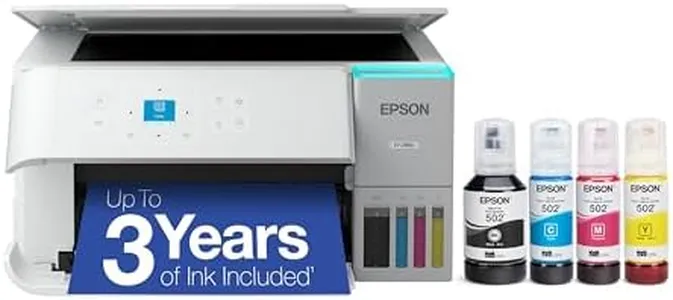
Epson EcoTank ET-2803 Wireless Color All-in-One Cartridge-Free Supertank Printer with Scan, Copy and AirPrint Support

Print Quality (Resolution): 5760 x 1440 dpi
Print Speed: 10 ppm mono, 5 ppm color
Ink Tank Capacity: 65 mL per color bottle
Connectivity Options: Wi-Fi, USB, AirPrint
Paper Handling: 1 tray, 100 sheets, multiple sizes
Duplex Printing: No
Scanner and Copier Functions: Flatbed scanner, copy, scan
Display and User Interface: LCD display, app control

Chosen by 1228 this week

Epson EcoTank ET-4800 Wireless All-in-One Cartridge-Free Supertank Printer with Scanner, Copier, Fax, ADF and Ethernet – Ideal-for Your Home Office, White

Print Speed: 10 ppm mono, 5 ppm color
Ink Tank Capacity: 65 mL per color bottle
Connectivity Options: wired, Wi-Fi, USB, Ethernet
Paper Handling: 100-sheet input, max 8.5x14 inch
Duplex Printing: auto
Scanner and Copier Functions: Flatbed, sheetfed scanner; copier; fax; ADF
Display and User Interface: color display

Epson EcoTank Pro ET-5880 Wireless Color All-in-One Supertank Printer with Scanner, Copier, Fax, Ethernet and PCL/Postscript, White

Print Quality (Resolution): 4800x2400 dpi color, 2400 dpi B/W
Print Speed: 25 ppm color and black
Ink Tank Capacity: Large tanks print thousands of pages
Connectivity Options: Wi-Fi, Ethernet
Paper Handling: Two trays, rear feed, 500 sheets max
Duplex Printing: Automatic
Scanner and Copier Functions: Scan, Copy, Fax; 1200 dpi scanner
Display and User Interface: Push-button controls, touch panel

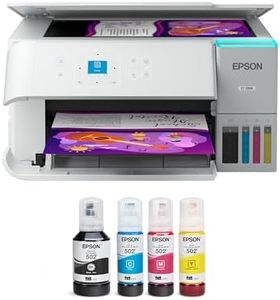
Epson EcoTank ET-2800 Wireless Color All-in-One Cartridge-Free Supertank with Scan and Copy, The Ideal Basic Home Printer - White

Print Quality (Resolution): 5760 x 1440
Print Speed: 10 ppm (black), 5 ppm (color)
Ink Tank Capacity: 65 mL (Black), 65 mL (Cyan)
Connectivity Options: wired, wireless
Paper Handling: 100-sheet input, 8.5 x 14 max
Duplex Printing: Manual
Scanner and Copier Functions: Copy, Scan
Display and User Interface: LCD, Push Button

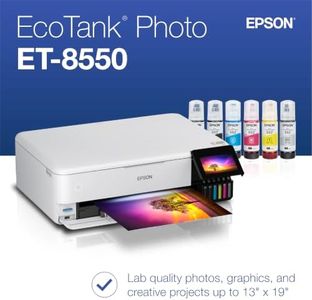
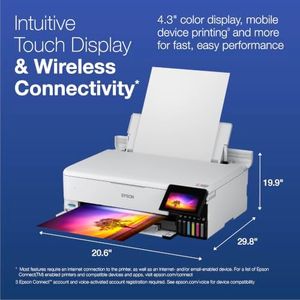
Epson EcoTank Photo ET-8550 Wireless Wide-format Color All-in-One Supertank Printer with Scanner Copier, Ethernet and 4.3-inch Colorfull Touchscreen

Print Speed: 16 ppm mono, 12 ppm color
Ink Tank Capacity: 70 mL per bottle
Connectivity Options: Wireless, Ethernet, USB
Paper Handling: Up to 13" x 19"
Duplex Printing: Auto
Scanner and Copier Functions: Yes
Display and User Interface: 4.3-inch touchscreen

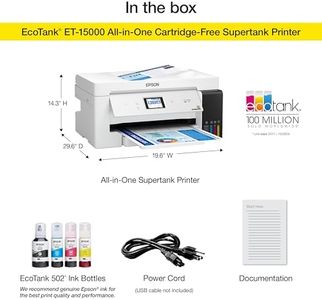
Epson EcoTank ET-15000 Wireless Color All-in-One Supertank Printer with Scanner, Copier, Fax, Ethernet and Printing up to 13 x 19 Inches, White

Print Speed: 17 ppm (mono), 9 ppm (color)
Ink Tank Capacity: 7,500 black, 6,000 color pages
Connectivity Options: Wi-Fi, Ethernet, Wi-Fi Direct
Paper Handling: 250 sheets, 11 x 17 inch max
Duplex Printing: Auto
Scanner and Copier Functions: Copy, Scan, Fax
Display and User Interface: 2.7-inch color touchscreen

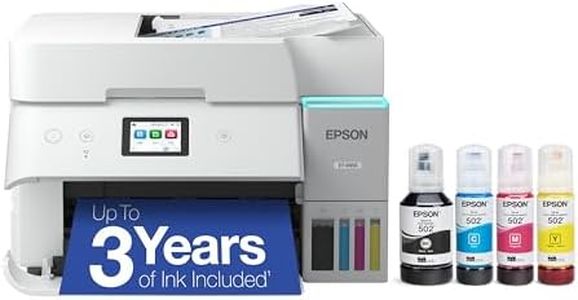
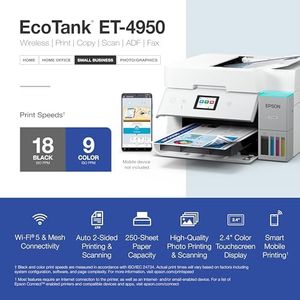
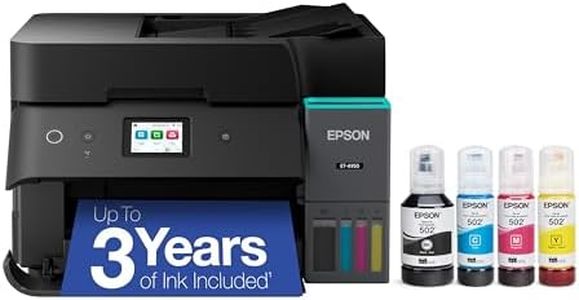
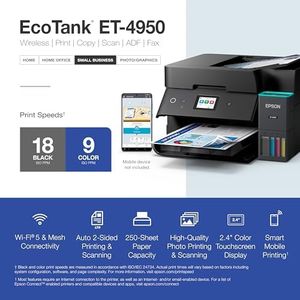
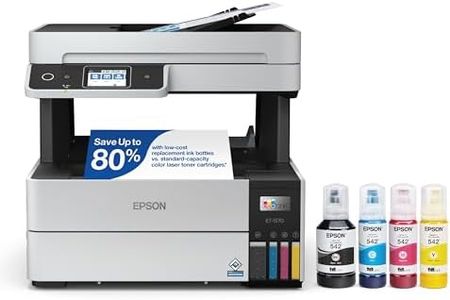
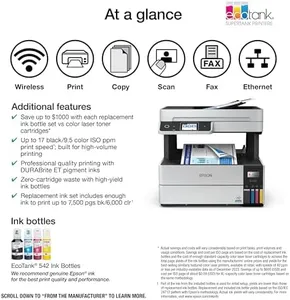
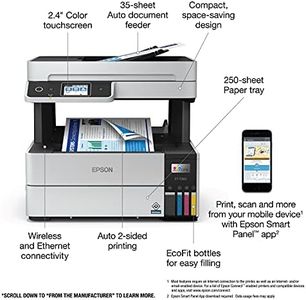
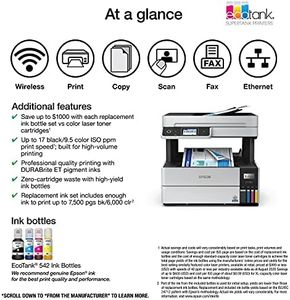
Epson EcoTank ET-4950 Wireless All-in-One Color Supertank Printer with up to 3 Years of Ink Refillable Tanks, Perfect for Office, 18 PPM, 2.4" Colorful Touchscreen, Auto Document Feeder - White

Print Quality (Resolution): 4800 x 1200 dpi
Print Speed: 18 ppm black, 9 ppm color
Ink Tank Capacity: 6600 pages black, 5500 color
Connectivity Options: USB, Ethernet, Wi-Fi
Paper Handling: 250-sheet tray, Auto Document Feeder
Duplex Printing: Automatic
Scanner and Copier Functions: Scan, copy, fax; Flatbed, Sheetfed
Display and User Interface: 2.4-inch color touchscreen

Epson EcoTank Pro ET-5800 Wireless Color All-in-One Supertank Printer with Scanner, Copier, Fax and Ethernet, White

Print Quality (Resolution): 4800 x 2400 dpi
Print Speed: 25 ppm (black), 12 ppm (color)
Ink Tank Capacity: High
Connectivity Options: Wi-Fi, USB, Ethernet
Paper Handling: Max Input: 250 sheets
Duplex Printing: Automatic
Scanner and Copier Functions: Scan, Copy, Fax
Display and User Interface: LED, Voice Control

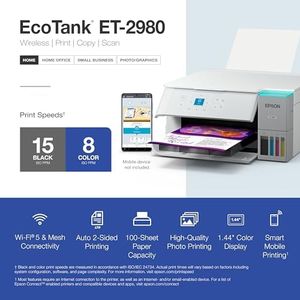
Epson EcoTank ET-2980 Wireless All-in-One Color Supertank Printer with up to 3 Years of Ink Refillable Tanks, Perfect for Home, 15 PPM, 1.44" Colorful Screen, Auto 2-Sided Printing - White

Print Quality (Resolution): 4800 x 1200 dpi
Print Speed: 15 ppm black, 8 ppm color
Ink Tank Capacity: Up to 3 years ink supply
Connectivity Options: USB, Wi-Fi
Paper Handling: 100-sheet tray, supports various sizes
Duplex Printing: Automatic
Scanner and Copier Functions: Copy, Scan; Flatbed scanner
Display and User Interface: 1.44-inch color display

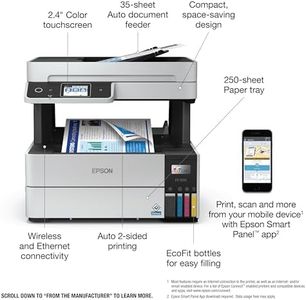
Epson EcoTank Pro ET-5180 Wireless Color All-in-One Supertank Printer with Scanner, Copier, Fax Plus Auto Document Feeder and PCL/Postscript, White, Large

Print Quality (Resolution): 4800 x 1200 dpi
Print Speed: 17 ppm mono, 9.5 ppm color
Ink Tank Capacity: 127 mL black, 70 mL colors
Connectivity Options: USB, Ethernet
Paper Handling: 250-sheet tray, up to legal size
Duplex Printing: Automatic
Scanner and Copier Functions: Sheetfed ADF, 600 dpi B/W, 25 dpi color
Display and User Interface: Color touchscreen, Epson Smart Panel app
How do we rank products for you?

Our technology thoroughly searches through the online shopping world, reviewing hundreds of sites. We then process and analyze this information, updating in real-time to bring you the latest top-rated products. This way, you always get the best and most current options available.

headphones-stars

Our Top Picks

#1

Winner

Epson EcoTank ET-2803 Wireless Color All-in-One Cartridge-Free Supertank Printer with Scan, Copy and AirPrint Support

Rating
10.0
Chosen by1,228
Ink Tank Capacity
Print Quality (Resolution)
Connectivity Options

Most important from
19443 reviews

Ink Tank Capacity
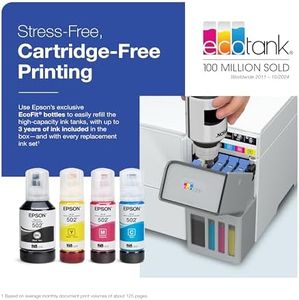
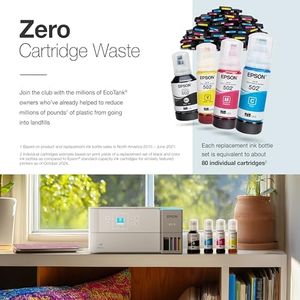
The huge ink refill bottles eliminate the hassle of constantly replacing cartridges, significantly reducing running costs and waste.
Print Quality (Resolution)
Print quality is consistently high with sharp and vibrant colors, especially when using quality photo paper.
Connectivity Options
The setup and daily use are straightforward and simple, with an intuitive app interface that makes wireless printing hassle-free.
Paper Handling
Paper handling can be tricky, as the input tray holds only a small number of sheets at a time, which may cause jams if overloaded.
Scanner and Copier Functions
This model excels at everyday color printing, copying, and scanning tasks, making it a versatile all-in-one option for light to medium use.

The Epson EcoTank ET-2803 is a solid choice if you want a cartridge-free printer that can handle everyday color printing, copying, and scanning tasks. It offers excellent print quality with a high resolution of 5760 x 1440 dpi, so photos and documents come out sharp and vibrant. However, its print speed is moderate—about 10 pages per minute in black and 5 in color—making it best suited for light to medium use rather than heavy office workloads. The ink tank system is a big plus, with refillable bottles that help keep running costs low and reduce waste compared to traditional cartridges.

Connectivity is flexible, supporting both Wi-Fi and USB, plus mobile printing through AirPrint, which makes it convenient for wireless use. Paper handling is straightforward with one tray supporting up to 100 sheets and multiple paper sizes, but it lacks automatic duplex (double-sided) printing, meaning you’ll need to flip pages manually if needed. The scanner is a flatbed type with decent resolution for copying and scanning documents.

The printer has a simple LCD display and can be controlled via an app, making it user-friendly without overwhelming you with complicated buttons. It’s relatively lightweight and compact for an all-in-one printer, fitting comfortably in small spaces. This makes the ET-2803 ideal for home users or small offices looking for quality prints, low ink costs, and wireless convenience, although it may not be the best fit if you need fast or automatic double-sided printing.

Rating
10.0
Chosen by1,228
Ink Tank Capacity
Print Quality (Resolution)
Connectivity Options

Most important from
19443 reviews

Ink Tank Capacity
The huge ink refill bottles eliminate the hassle of constantly replacing cartridges, significantly reducing running costs and waste.
Print Quality (Resolution)
Print quality is consistently high with sharp and vibrant colors, especially when using quality photo paper.
Connectivity Options
The setup and daily use are straightforward and simple, with an intuitive app interface that makes wireless printing hassle-free.
Paper Handling
Paper handling can be tricky, as the input tray holds only a small number of sheets at a time, which may cause jams if overloaded.
Scanner and Copier Functions
This model excels at everyday color printing, copying, and scanning tasks, making it a versatile all-in-one option for light to medium use.
#2

Epson EcoTank ET-4800 Wireless All-in-One Cartridge-Free Supertank Printer with Scanner, Copier, Fax, ADF and Ethernet – Ideal-for Your Home Office, White

Rating
8.5
Print Quality (Resolution)
Print Speed
Ink Tank Capacity

Most important from
5357 reviews

Print Quality (Resolution)
Print quality is crisp and reliable for documents, with color prints suitable for everyday needs, making it a solid choice for home or small office use.
Print Speed
The print and copy speeds are moderate, adequate for typical home or small office workloads but not suited for high-volume or fast printing needs.
Ink Tank Capacity
The cartridge-free design with large refillable ink tanks eliminates the frustration and cost of traditional ink subscriptions and cartridges, offering straightforward and affordable printing.
Connectivity Options
Connectivity options including Wi-Fi and a helpful app enable easy printing from phones and PCs, with visible ink level indicators both physically and digitally.
Scanner and Copier Functions
Automatic document feeder enhances multi-page scanning and copying tasks, adding convenience to its multifunction capabilities.
Display and User Interface
The small, non-touch LCD screen and paper feed design feel somewhat outdated and less user-friendly compared to modern printers.

The Epson EcoTank ET-4800 is a solid choice for home office users who want a reliable all-in-one printer with low ongoing ink costs. Its standout feature is the cartridge-free system, using large refillable ink tanks that save money and reduce waste compared to traditional cartridges. This model offers good print quality for sharp text and vibrant color photos, thanks to its Micro Piezo Heat-Free technology.

While print speeds aren't the fastest—about 10 pages per minute for black and white and 5 ppm for color—it’s adequate for typical home or small office use. The printer supports automatic duplex (double-sided) printing, which is convenient for saving paper. It also includes a built-in flatbed scanner and copier, plus fax and an automatic document feeder (ADF) for handling multi-page scanning or copying tasks. Connectivity options are versatile, with wired Ethernet, USB, and wireless Wi-Fi support, allowing easy connection to laptops and other devices. The user interface includes a color display that's helpful for navigating features, making operation straightforward. Paper handling is decent, with a 100-sheet input capacity and support for up to legal-size sheets (8.5 x 14 inches).

One minor drawback is the relatively slow copy speed and moderate print speed, so it might not be ideal if you need high-volume or very fast printing. Also, while the ink tanks hold a lot, initial setup and refilling can be a bit messier than cartridge swaps if you're not used to it. The ET-4800 is well-suited for users focused on cost savings, environmental benefits, and decent multifunction performance in a compact and user-friendly design.

Rating
8.5
Print Quality (Resolution)
Print Speed
Ink Tank Capacity

Most important from
5357 reviews

Print Quality (Resolution)
Print quality is crisp and reliable for documents, with color prints suitable for everyday needs, making it a solid choice for home or small office use.
Print Speed
The print and copy speeds are moderate, adequate for typical home or small office workloads but not suited for high-volume or fast printing needs.
Ink Tank Capacity
The cartridge-free design with large refillable ink tanks eliminates the frustration and cost of traditional ink subscriptions and cartridges, offering straightforward and affordable printing.
Connectivity Options
Connectivity options including Wi-Fi and a helpful app enable easy printing from phones and PCs, with visible ink level indicators both physically and digitally.
Scanner and Copier Functions
Automatic document feeder enhances multi-page scanning and copying tasks, adding convenience to its multifunction capabilities.
Display and User Interface
The small, non-touch LCD screen and paper feed design feel somewhat outdated and less user-friendly compared to modern printers.
#3

Epson EcoTank Pro ET-5880 Wireless Color All-in-One Supertank Printer with Scanner, Copier, Fax, Ethernet and PCL/Postscript, White

Rating
8.5
Print Quality (Resolution)
Print Speed
Ink Tank Capacity

Most important from
847 reviews

Print Quality (Resolution)
Prints come out fast and with high-quality sharpness, handling heavy office printing demands without slowing down.
Print Speed
Prints come out fast and with high-quality sharpness, handling heavy office printing demands without slowing down.
Ink Tank Capacity
Setup and network connection are straightforward, with easy driver installation and smooth ink tank filling that prevents spills.
Connectivity Options
Setup and network connection are straightforward, with easy driver installation and smooth ink tank filling that prevents spills.
Scanner and Copier Functions
Scanning features are robust, especially for two-sided documents, with software options that enable creating searchable PDFs.

The Epson EcoTank Pro ET-5880 is a solid choice for small to medium offices or professionals who need a reliable all-in-one printer with very low running costs. It offers sharp print quality with up to 4800 x 2400 dpi resolution for color and 2400 dpi for black-and-white, making documents and graphics look crisp and vibrant. Print speeds are quite fast for an inkjet, reaching up to 25 pages per minute for both color and black, so it won’t slow you down during busy workdays. Its large ink tanks hold enough ink to print thousands of pages before needing a refill, which saves money and reduces cartridge waste compared to traditional printers.

Connectivity options include Wi-Fi and Ethernet, allowing easy network setup and wireless printing from laptops or PCs. Paper handling is practical, with two front trays and a rear feed, supporting up to 500 sheets and media sizes up to legal (8.5 x 14 inches). Automatic duplex printing helps save paper. On top of printing, it includes scanning, copying, and faxing functions, with a sheet-fed scanner that reaches 1200 dpi resolution, suitable for everyday office tasks. The user interface is straightforward with push-button controls and a touch panel.

However, the printer is quite heavy and may take up considerable desk space. It is designed exclusively for pigment inks, so using non-genuine or dye inks may cause damage not covered by warranty. While the initial price and size might be a hurdle for some, the low ink cost and strong performance make it a practical investment for those who print frequently and want a complete office solution without frequent ink changes.

Rating
8.5
Print Quality (Resolution)
Print Speed
Ink Tank Capacity

Most important from
847 reviews

Print Quality (Resolution)
Prints come out fast and with high-quality sharpness, handling heavy office printing demands without slowing down.
Print Speed
Prints come out fast and with high-quality sharpness, handling heavy office printing demands without slowing down.
Ink Tank Capacity
Setup and network connection are straightforward, with easy driver installation and smooth ink tank filling that prevents spills.
Connectivity Options
Setup and network connection are straightforward, with easy driver installation and smooth ink tank filling that prevents spills.
Scanner and Copier Functions
Scanning features are robust, especially for two-sided documents, with software options that enable creating searchable PDFs.

Buying Guide for the Best EcoTank Printers

When choosing an EcoTank printer, it's important to consider your specific needs and how different features will meet those needs. EcoTank printers are known for their refillable ink tanks, which can save you money in the long run and reduce waste. However, there are several key specifications to consider to ensure you get the best printer for your requirements.
Print Quality (Resolution)Print quality is measured in dots per inch (DPI). Higher DPI means better print quality, which is important for printing detailed images and professional documents. For general home use, a resolution of 600 x 600 DPI is usually sufficient. For high-quality photo printing or professional documents, look for a printer with at least 1200 x 1200 DPI.
Print SpeedPrint speed is measured in pages per minute (PPM). This spec is important if you need to print large volumes quickly. For occasional home use, a speed of 10-15 PPM is usually adequate. For office use or frequent printing, look for a printer with a speed of 20 PPM or higher.
Ink Tank CapacityInk tank capacity determines how much ink the printer can hold, which affects how often you need to refill it. Larger tanks are beneficial for high-volume printing as they reduce the frequency of refills. For occasional use, a smaller tank may be sufficient, but for frequent or high-volume printing, look for a printer with larger tanks.
Connectivity OptionsConnectivity options include USB, Wi-Fi, Ethernet, and Bluetooth. These options determine how you can connect your devices to the printer. For home use, Wi-Fi connectivity is often sufficient as it allows multiple devices to connect wirelessly. For office use, Ethernet might be necessary for a more stable connection. Bluetooth can be useful for printing directly from mobile devices.
Paper HandlingPaper handling refers to the types and sizes of paper the printer can accommodate, as well as the capacity of the paper tray. If you need to print on various paper sizes or types (like envelopes or photo paper), ensure the printer supports them. For high-volume printing, a larger paper tray capacity (e.g., 250 sheets) is beneficial to reduce the frequency of refilling.
Duplex PrintingDuplex printing allows the printer to print on both sides of the paper automatically. This feature is important for saving paper and is useful for printing double-sided documents. If you frequently print reports or booklets, a printer with automatic duplex printing will be very convenient.
Scanner and Copier FunctionsMany EcoTank printers come with built-in scanners and copiers. These functions are important if you need to digitize documents or make copies frequently. For basic home use, a simple scanner/copier function may suffice. For office use, look for advanced features like high-resolution scanning and automatic document feeders.
Display and User InterfaceThe display and user interface affect how easy the printer is to use. Touchscreen displays and intuitive menus can make it easier to navigate settings and functions. For occasional use, a basic interface may be sufficient, but for frequent use, a more advanced and user-friendly interface can save time and reduce frustration.

FAQ